 By Admin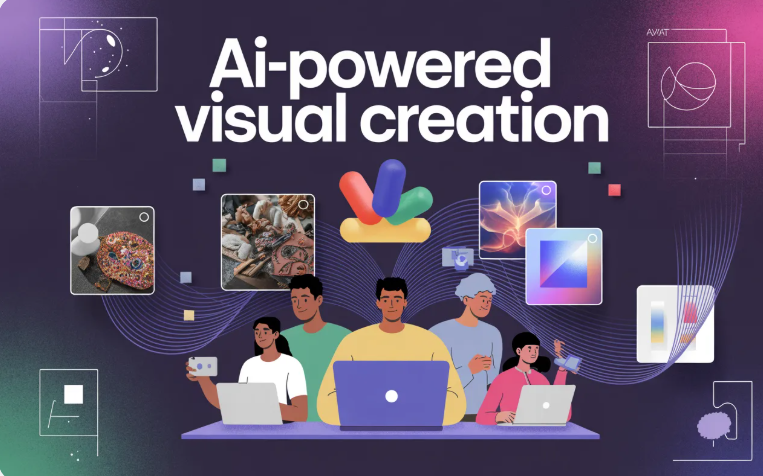
In the ever-evolving world of digital creation, visuals are paramount — they tell stories, grab attention, and make complex ideas easy to understand. Whether you’re a marketer, designer, storyteller, or hobbyist, the ability to transform simple ideas into eye-catching visuals can elevate your creative output. Enter the Midjourney AI Image Generator, a powerful tool that allows creators to turn words into stunning works of art within minutes.
In this post, we’ll take you from the basics of what Midjourney is, how it works, to practical step-by-step instructions on creating your first AI-generated image — and even show you how to incorporate these visuals into broader content workflows using tools like an ai video maker app.
What Is the Midjourney AI Image Generator?
At its core, the Midjourney ai image generator is a generative artificial intelligence that converts text prompts into high-quality images. It interprets user descriptions, styles, and artistic direction to produce visuals that range from photorealistic landscapes to surreal, artistic works.
Originally popularized through Discord interactions, Midjourney now enables creators to interact with the model through updated platforms and integrations, making AI-generated imagery more accessible than ever.
Why Use Midjourney AI for Creative Projects?
Here’s why creators are flocking to tools like Midjourney:
Unmatched Visual Quality
Midjourney’s latest models produce images with rich textures, precise details, and realistic lighting effects, enabling outcomes that rival traditional design tools.
Powerful Prompt Interpretation
Unlike simpler tools, Midjourney can interpret complex, nuanced prompts, turning abstract descriptions into coherent visuals.
Creative Control
Users can refine images by creating variations, applying stylistic parameters, or even combining multiple reference images for greater artistic consistency.
Expanding Features (Image → Motion)
While known for still images, Midjourney is expanding into dynamic media — turning static pictures into short clips using AI-driven motion prompts. These features blur the line between image and video creation.
Step-by-Step: How to Use Midjourney AI Image Generator (Beginner)
Starting with Midjourney might seem intimidating at first, but once you understand the basics, the process is intuitive.
1. Create a Midjourney Account
- Visit Midjourney’s website or Discord server.
- Sign up or log in using your preferred account.
- Choose a subscription plan that fits your needs — free or paid plans offer different levels of image generation and priority access.
2. Understanding Prompts
Your text prompt defines what Midjourney creates. Think of it as the language you use to tell the AI what you want.
A strong prompt includes:
- Subject: What do you want to see?
- Style: Realistic, cartoon, watercolor, cyberpunk, etc.
- Details: Colors, mood, lighting, composition.
For example:
“A serene underwater city at sunrise, photorealistic, coral-covered towers, vibrant marine life, dramatic light”
This prompt would guide Midjourney to generate a detailed underwater scene matching those descriptors.
3. Generate Your First Image
If you’re using Discord:
- Go to a “Newbies” or relevant channel.
- Type /imagine prompt: followed by your description.
- Send the message and wait for Midjourney to generate four image options.
If using an integrated platform (like invideo):
- Select the Midjourney v7 model inside the creative workspace.
- Type your prompt into the provided field.
- Click Generate to see results directly within your creative environment.
4. Select and Refine
Once the images are created:
- Choose one to upscale for higher quality.
- Or generate variations if you want alternative interpretations.
- Save or export your final image for use in projects.
Midjourney Prompt Tips to Get Better Results
Here are practical tips that help you craft better prompts:
Include Artistic Style Keywords
Words like “cinematic,” “photorealistic,” or “vector art” help steer the model toward a specific visual identity.
Use Negative Prompts
Some advanced users add terms like no text, no blur, or no artifacts to prevent unwanted elements in final images.
Experiment with Parameters
Midjourney supports parameters such as:
- –ar width:height to control aspect ratio.
- –stylize to influence the level of artistic interpretation.
Iterate Often
Don’t be afraid to adjust a prompt multiple times — iteration is part of the creative process.
Creative Use Cases for Midjourney Images
Whether you’re a beginner or intermediate creator, the Midjourney AI image generator opens doors to numerous content possibilities:
Branding & Advertising Visuals
Design product visuals, promotional images, or concept art that aligns with your campaign vision.
Social Media Graphics
Create eye-catching visuals for posts, stories, or ad creatives.
Concept Art & Mood Boards
Develop visuals that communicate ideas to teams or clients fast.
Storytelling Elements
Use images as scene backdrops, character concepts, or illustrative content for articles and presentations.
Bringing Midjourney Imagery to Dynamic Content
Static images are powerful — but when paired with motion or narration, your content skyrockets in engagement. This is where tools like an ai video maker app become incredibly useful.
Imagine turning your Midjourney scenes into animated intros, narrated explainer videos, or short social clips using an AI-assisted video creation platform. Some advanced tools allow you to bring static AI images to life or pair them with text-to-speech, music, and transitions — giving you full creative control over multimedia content.
By incorporating visuals generated from Midjourney alongside narration, motion, and graphics in your video workflow, you can produce polished digital content straight from imaginative prompts and text-based storytelling.
Tips for Integrating Midjourney Results into Projects
Once your images are ready, consider these best practices:
Maintain Visual Consistency
Use the same style keywords across prompts when creating a series of related visuals.
Save Prompt History
Keep a record of prompts that produced great results — this helps recreate or adjust images later.
Combine Tools for Output
Use dedicated design tools or AI multimedia apps to add animations, transitions, and audio.
Optimize for Platforms
Ensure images are sized and formatted appropriately for their intended platform (e.g., square for Instagram, 16:9 for videos).
Final Thoughts: Why Midjourney Matters for Creators
The Midjourney AI Image Generator has democratized visual creation. You no longer need advanced design skills or software to bring your creative visions to life. With thoughtful prompts, a bit of experimentation, and the right post-processing tools, you can generate visuals that elevate your creative projects — from branding and marketing to storytelling and digital experiences.
Whether you’re starting with your first prompt or integrating visuals into multi-modal content like video or interactive media, this tool provides a powerful foundation for creative expression in the AI era.